Guide to Funding Your Binaryx Account with a Bank Card

The cryptocurrency world is rapidly integrating with traditional finance, and in the coming years, this interaction will become completely seamless. Most of this integration process has remained invisible to ordinary users until it becomes possible to interact with decentralized applications using a regular bank card.
This integration process was not noticeable on the Binaryx platform until today. We are pleased to announce the completion of our integration with Paybis—a cryptocurrency exchange that now allows you to fund your Binaryx account directly with your bank card. Here's a quick step-by-step guide!
How to Top Up Your Binaryx Account with a Bank Card?
Step 1: Log into the Platform
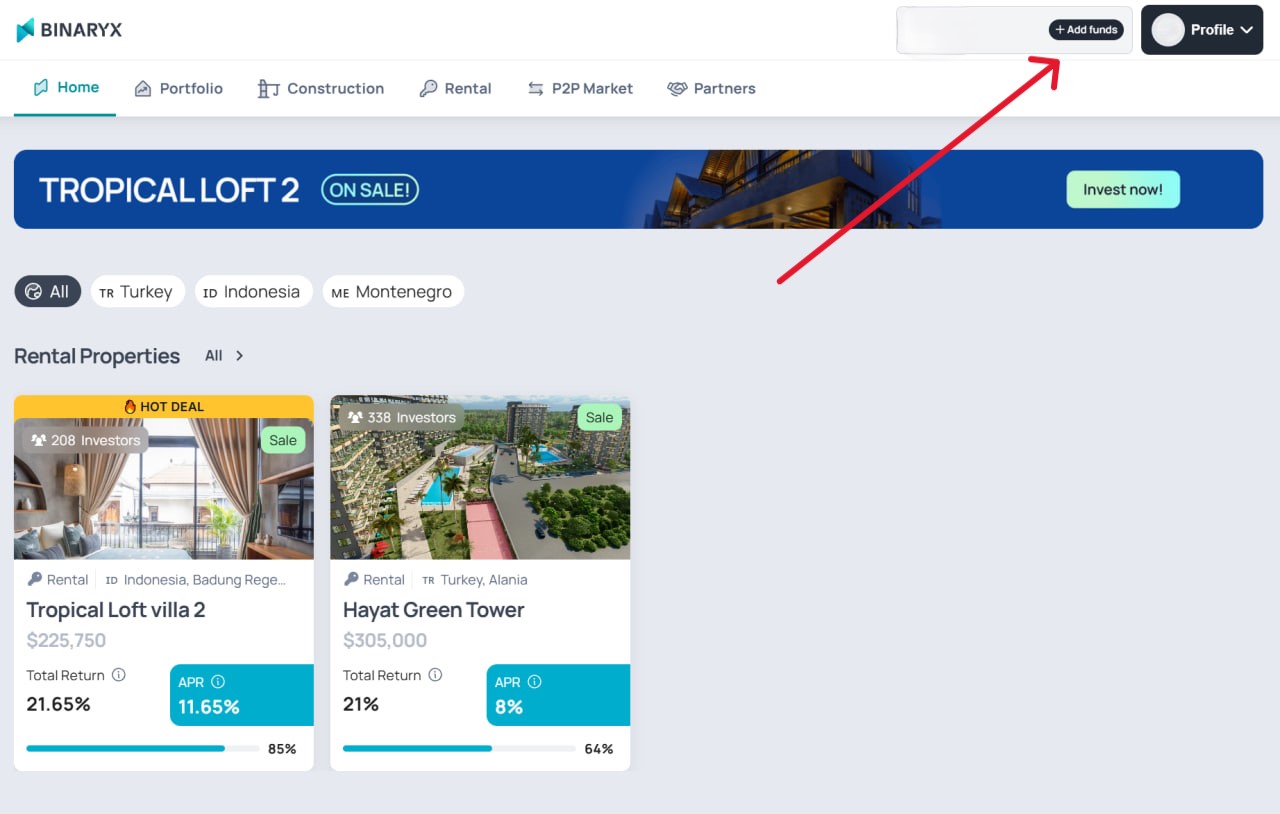
Visit the Binaryx Platform and click the "Add funds" button in the top right corner of the interface.
Step 2: Choose Your Funding Method
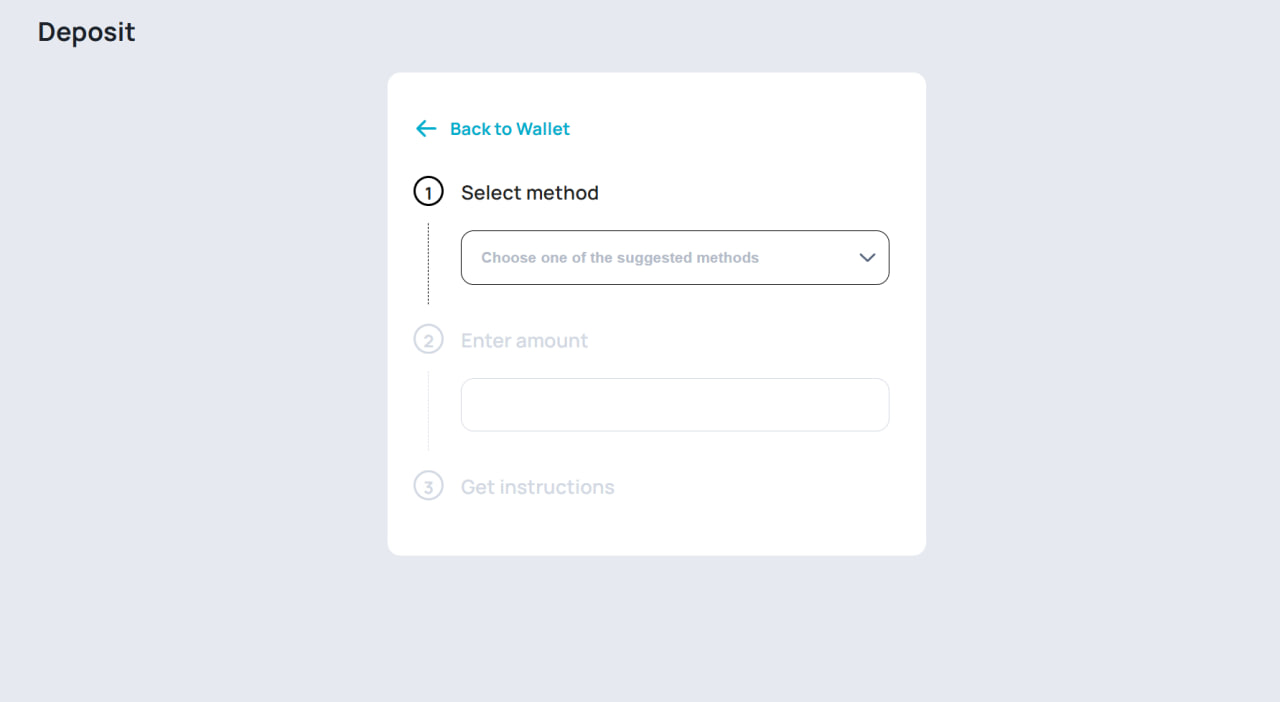
Select "Credit or Debit Card (via Paybis)" in the open window to pay with a bank card.
Step 3: Select Your Currency
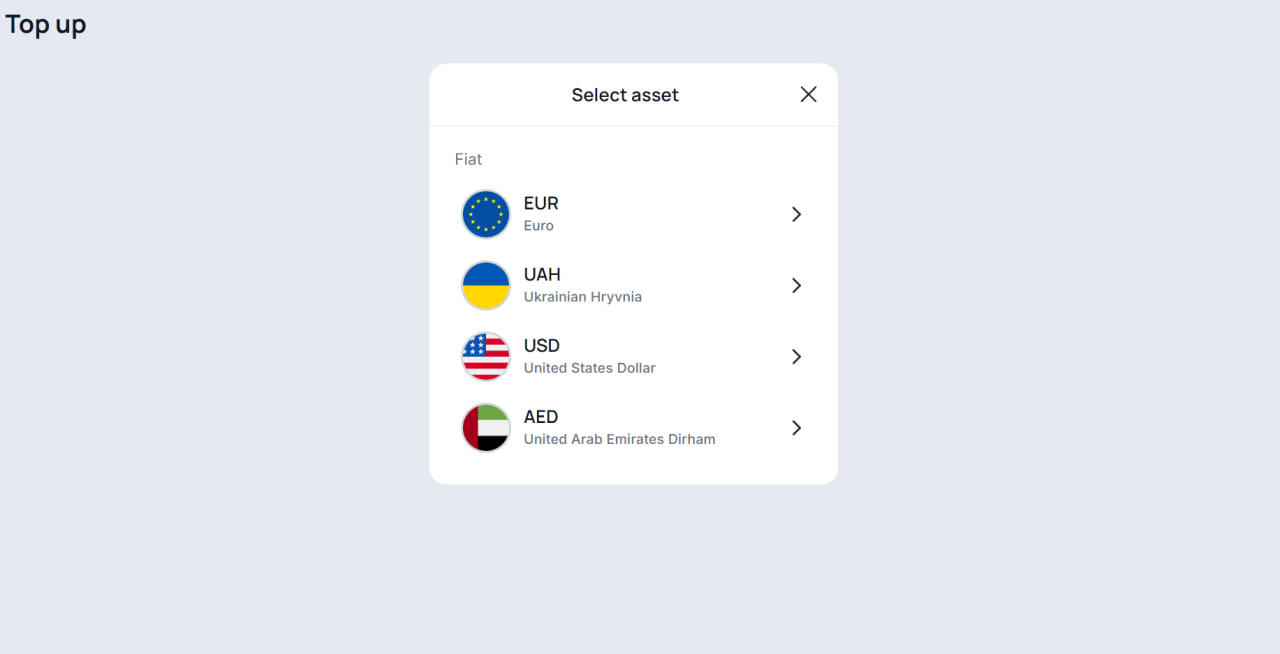
Choose the currency of your bank card—this currency will be used for the automatic purchase of $USDT stablecoin. Currently, four fiat currencies are fully integrated: the Euro, Ukrainian Hryvnia, US Dollar, and UAE Dirham. If your primary currency is not on the list, select US Dollar — conversion will occur automatically at your bank's exchange rate.
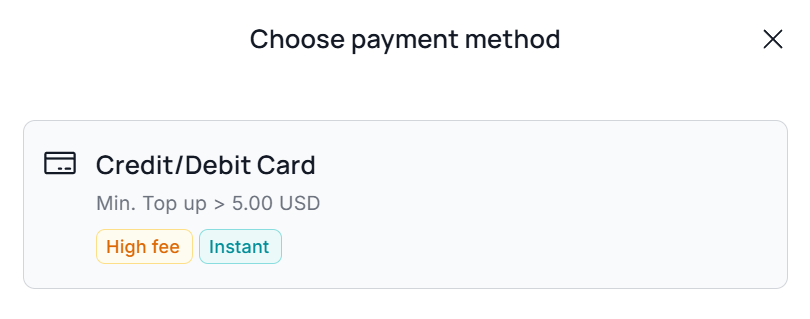
Step 4: Payment Method
Confirm your payment method by clicking on the Credit/Debit Card option.
Step 5: Email Verification
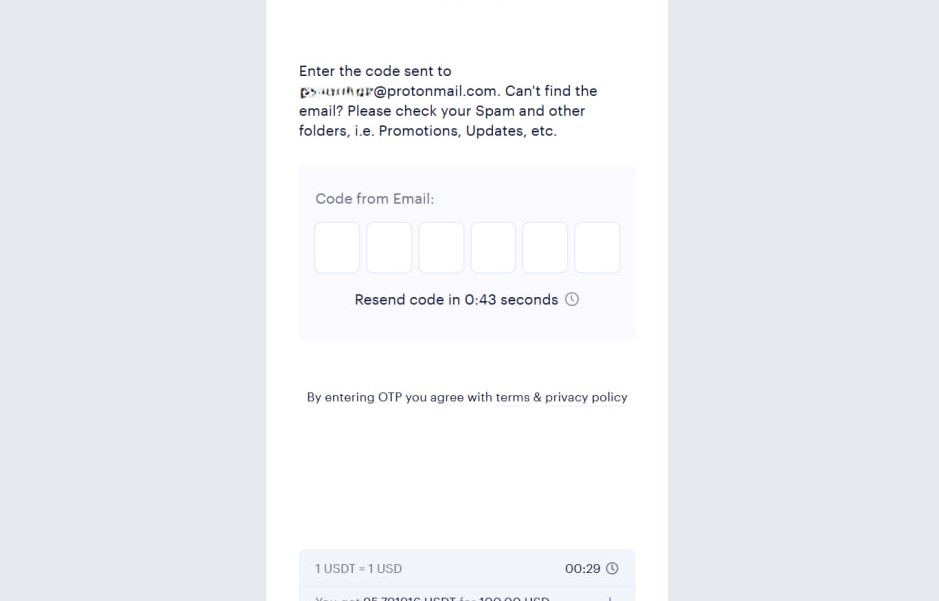
The system will ask you to verify the email address assigned to your Binaryx account to continue the funding process. Enter the 6-digit code sent to your email.
Step 6: Specify the Amount
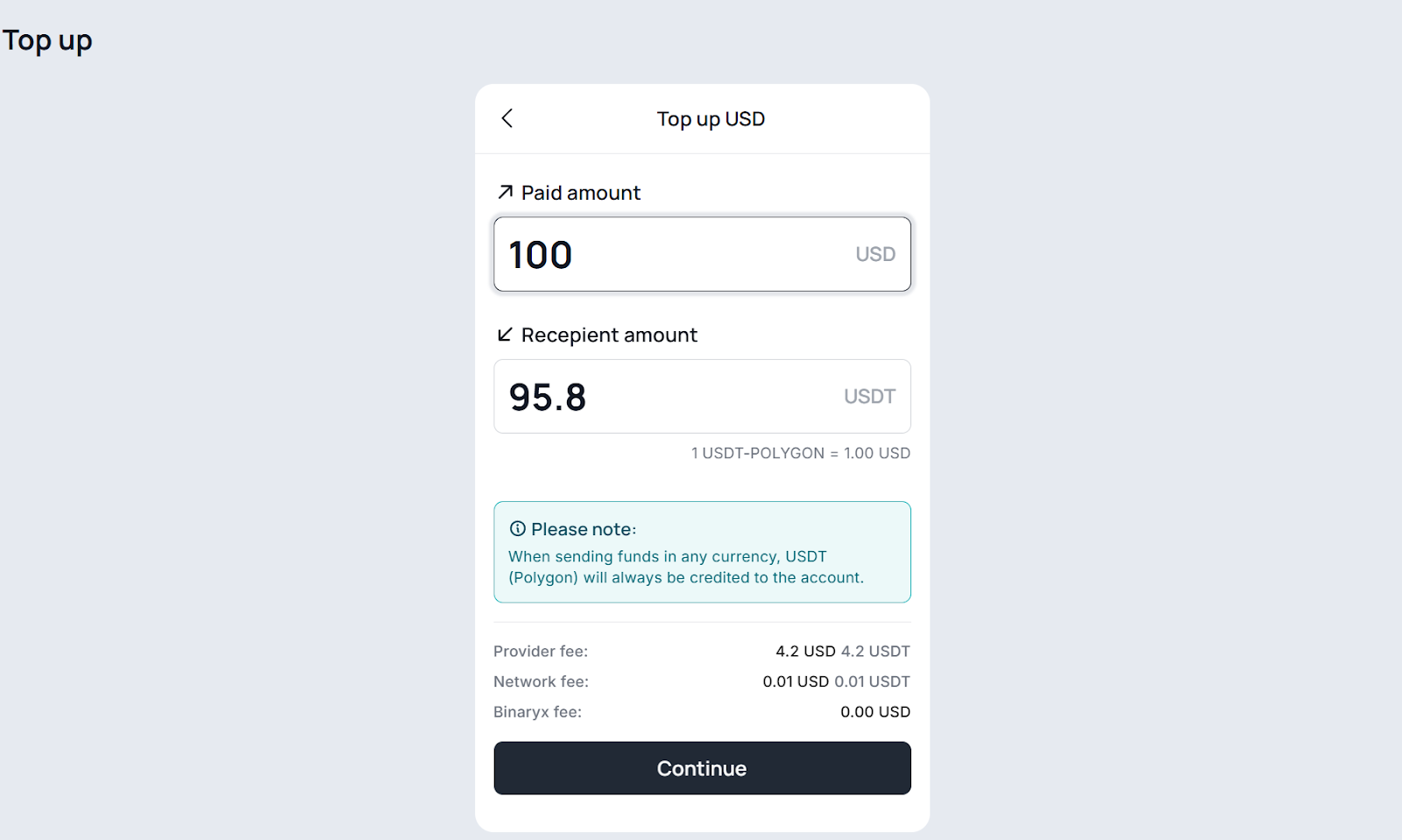
After email confirmation, specify the payment amount (note that this is not equal to the final funding amount) and click "Continue." It's important to remember that Paybis charges a fee for exchanging fiat currency to $USDT. Additionally, you should account for the transaction fee on the Polygon blockchain. Binaryx does not charge any additional fees.
Step 7: Confirm the Amount
In the confirmation window showing the final funding amount, click "Continue" if everything looks correct.

Step 8: Add Card Details
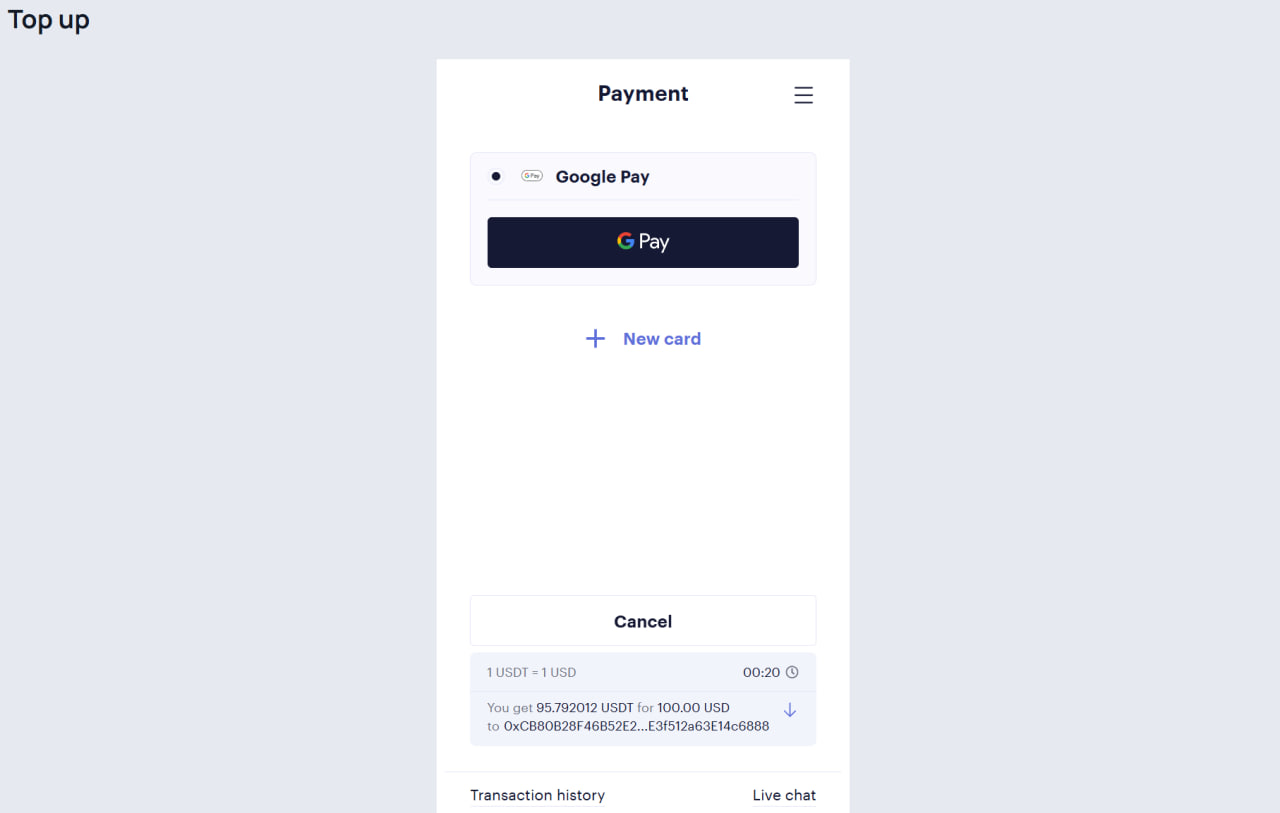
You can add your bank card details by clicking "New Card" or using Google Pay if this option is available and connected to your device.
Step 9: Complete the Payment
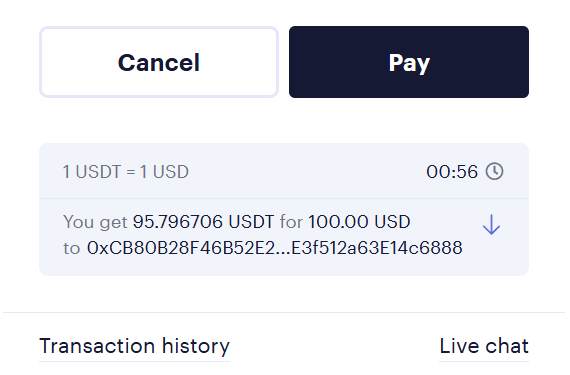
After filling in all the necessary details, click "Pay" to complete the process.
Conclusion
If you enter all data correctly, your account will be funded within minutes, allowing you to start investing on the Binaryx platform right away. Try it!
Articles you may be interested in
.jpeg)


-min.jpeg)

.webp)
Binaryx Bali Asset 1 DAO LLC | 2023-001254053
Principal Office:
30 N Gould St Ste R
Sheridan, WY 82801, USA